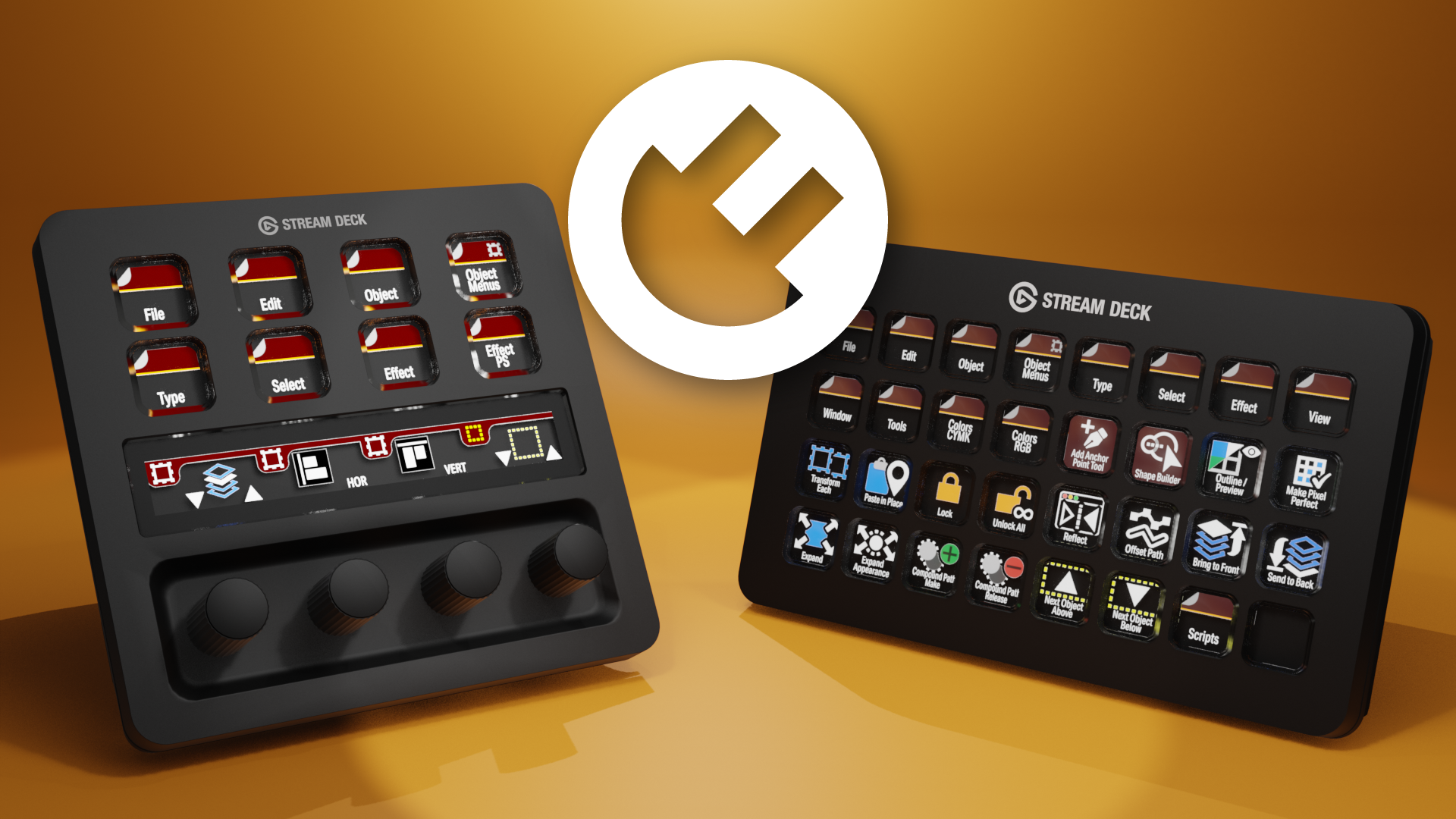

Illustrator Plugins for Stream Deck
What’s Included
Illustrator Commands plugin (com.illustrator.commands.sdPlugin)
Illustrator Color Swatches plugin (com.illustrator.colorswatch.sdPlugin)
Plugin Installation Guide with Command Reference (600+ commands)
Illustrator Commands & Color Swatches
Stream Deck Plugins for Adobe Illustrator
Control Adobe Illustrator from your Stream Deck. Over 600 commands, instant tool switching, keyboard shortcuts, and color application — all at the press of a button.
Two plugins that turn your Stream Deck into a dedicated control surface for Adobe Illustrator. Assign any menu command, tool, keyboard shortcut, or color swatch to a button or dial and execute it instantly — no memorizing shortcuts, no digging through menus.
Works with every Stream Deck model on both macOS and Windows.
Illustrator Commands Plugin
What It Does
Access over 600 Illustrator commands directly from your Stream Deck. Menu commands, tool selections, pathfinder operations, effects, view controls, and more — each mapped to a single button press.
Three Actions Included
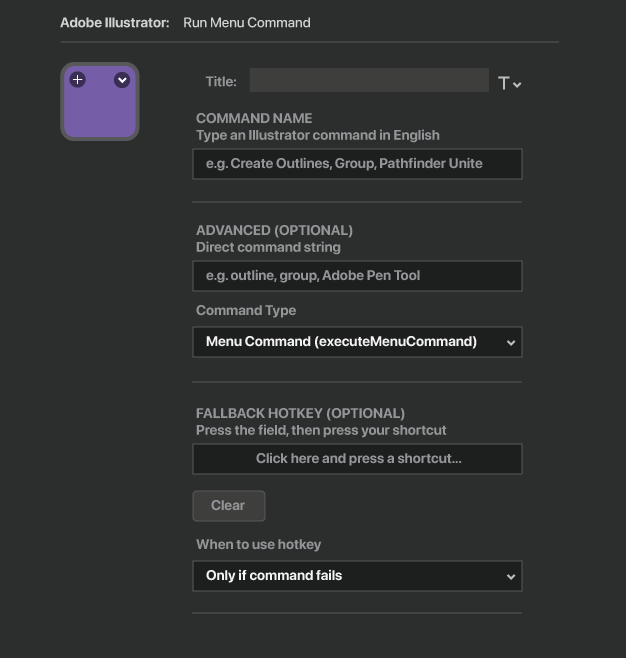
Run Menu Command — The core action. Type a command name in plain English or enter the exact command string. The plugin matches your input to the correct Illustrator command and executes it. Supports menu commands, tool switching, and a built-in hotkey system for maximum speed.
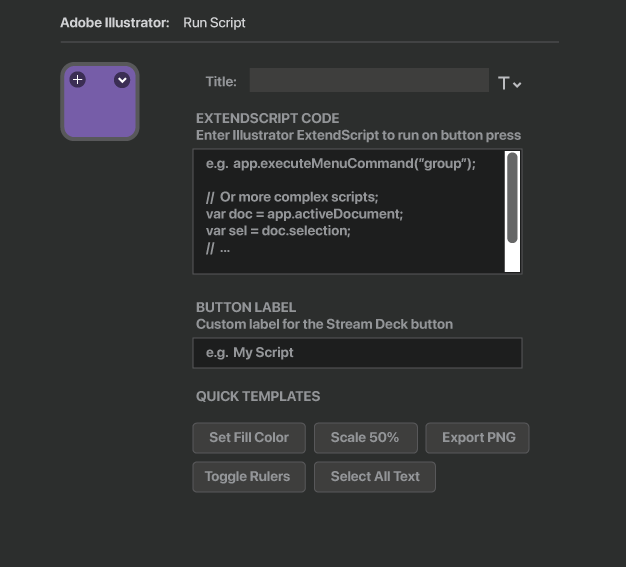
Run Script — Execute custom ExtendScript code with a button press. Full access to Illustrator's scripting engine for tasks that go beyond a single command. Includes quick templates for common operations.
Dial Command (Stream Deck+) — Assign different commands to each dial interaction. Rotate clockwise for one command, counter-clockwise for another, press for a third. Configure up to five actions per dial: clockwise, counter-clockwise, press, touch tap, and long touch.
Built-In Hotkey System
Every button can be configured with a keyboard shortcut as a fallback or as the primary action. Record any shortcut directly in the settings panel — press your modifier keys one at a time, then the final key. The plugin sends the shortcut to Illustrator at native keyboard speed.
Use the hotkey in two modes:
Fallback — The command runs first. If it fails, the hotkey fires automatically.
Prefer Hotkey — Skip the command entirely and send the shortcut directly. This is the fastest option, executing in milliseconds rather than the 300–500ms a scripted command requires.
Color Swatches Plugin
What It Does
Apply fill and stroke colors to selected objects in Illustrator from your Stream Deck. Build a visual color palette across your buttons, or use the Stream Deck+ dial to browse tints and shades of any color in real time.
Two Actions Included
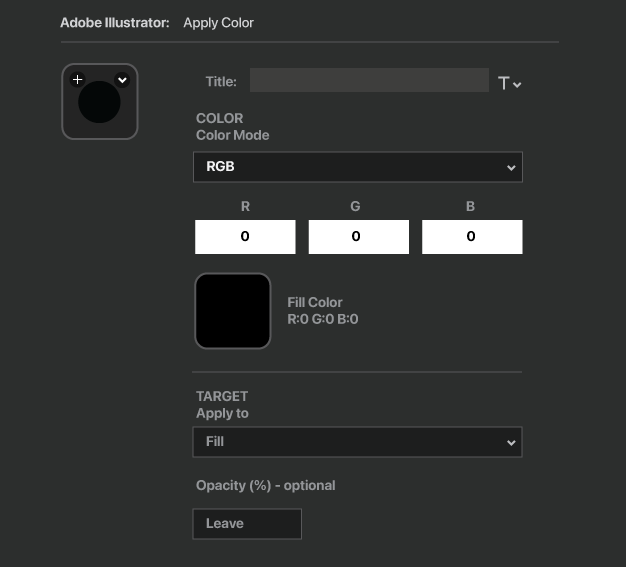
Apply Color — Configure a color on a button using Hex, RGB, or CMYK values, or set it to None for transparent. Choose whether to apply the color to the fill, stroke, or both. The button displays a live color preview so your Stream Deck functions as a visual palette.
Tint / Shade Dial (Stream Deck+) — Set a base color, then rotate the dial to explore lighter tints (clockwise) and darker shades (counter-clockwise). Press the dial to apply. Tap the touchscreen to toggle between fill and stroke. Long press to reset to the base color.
Color Modes
Hex — Enter a standard hex code or use the built-in color picker.
RGB — Specify Red, Green, and Blue values from 0 to 255.
CMYK — Specify Cyan, Magenta, Yellow, and Key values from 0 to 100. Values are sent directly to Illustrator's CMYK color space for accurate print color without conversion.
None — Remove the fill or stroke, setting it to transparent.
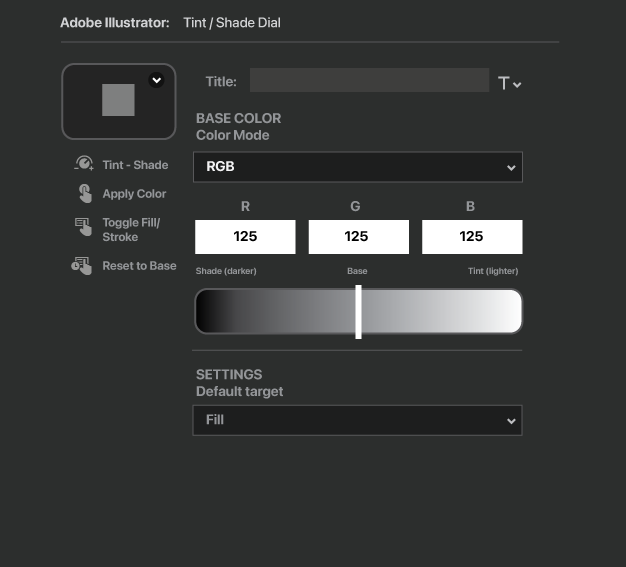
Illustrator Command Plugin
Illustrator Color Swatches Plugin
Key Features
600+ built-in commands covering menus, tools, pathfinder, effects, align, distribute, type, view, and more.
Works on macOS and Windows. Native execution on both platforms with no additional software required.
Every Stream Deck model supported. Buttons work on all models. Dial features require a Stream Deck+ or compatible model with encoders.
Fast. Hotkeys execute in milliseconds. Menu commands go through Illustrator's scripting engine and complete in under a second.
Customizable. Use built-in commands, record your own hotkeys, write custom scripts, or combine all three on a single button with fallback logic.
Live color previews. Color Swatch buttons display the configured color directly on the Stream Deck.
Tint and shade control. Browse color variations on the Stream Deck+ dial before applying.
CMYK support. Specify print colors directly without RGB conversion.
Compatible With
macOS 10.15 (Catalina) or later
Windows 10 or later
Elgato Stream Deck software 6.5 or later
Adobe Illustrator 2020 or later
All Stream Deck models: MK.2, +, XL, Mini, Neo
executeMenuCommand results may vary depending on Illustrator version.
What’s Included
Illustrator Commands plugin (com.illustrator.commands.sdPlugin)
Illustrator Color Swatches plugin (com.illustrator.colorswatch.sdPlugin)
Plugin Installation Guide with Command Reference (600+ commands)
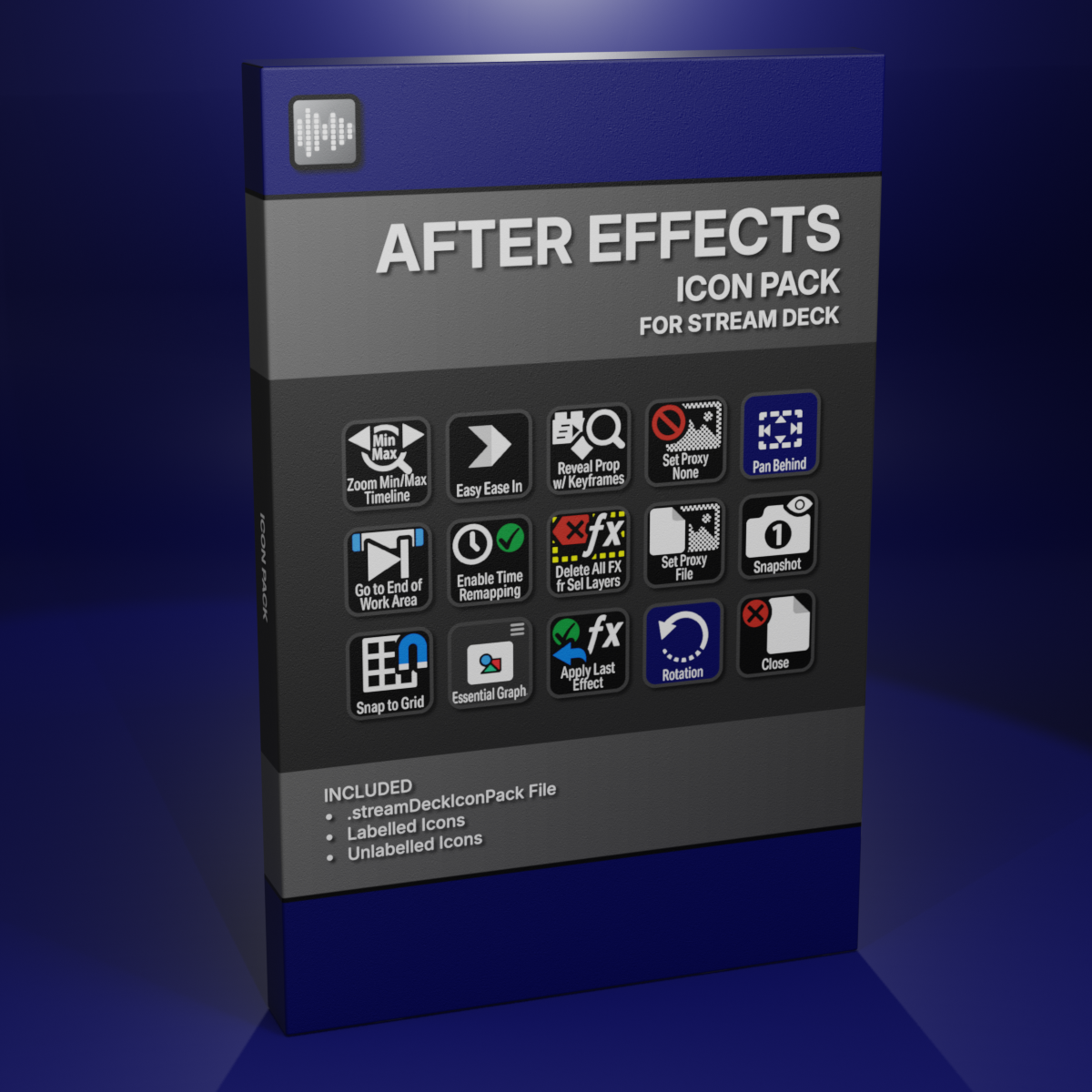
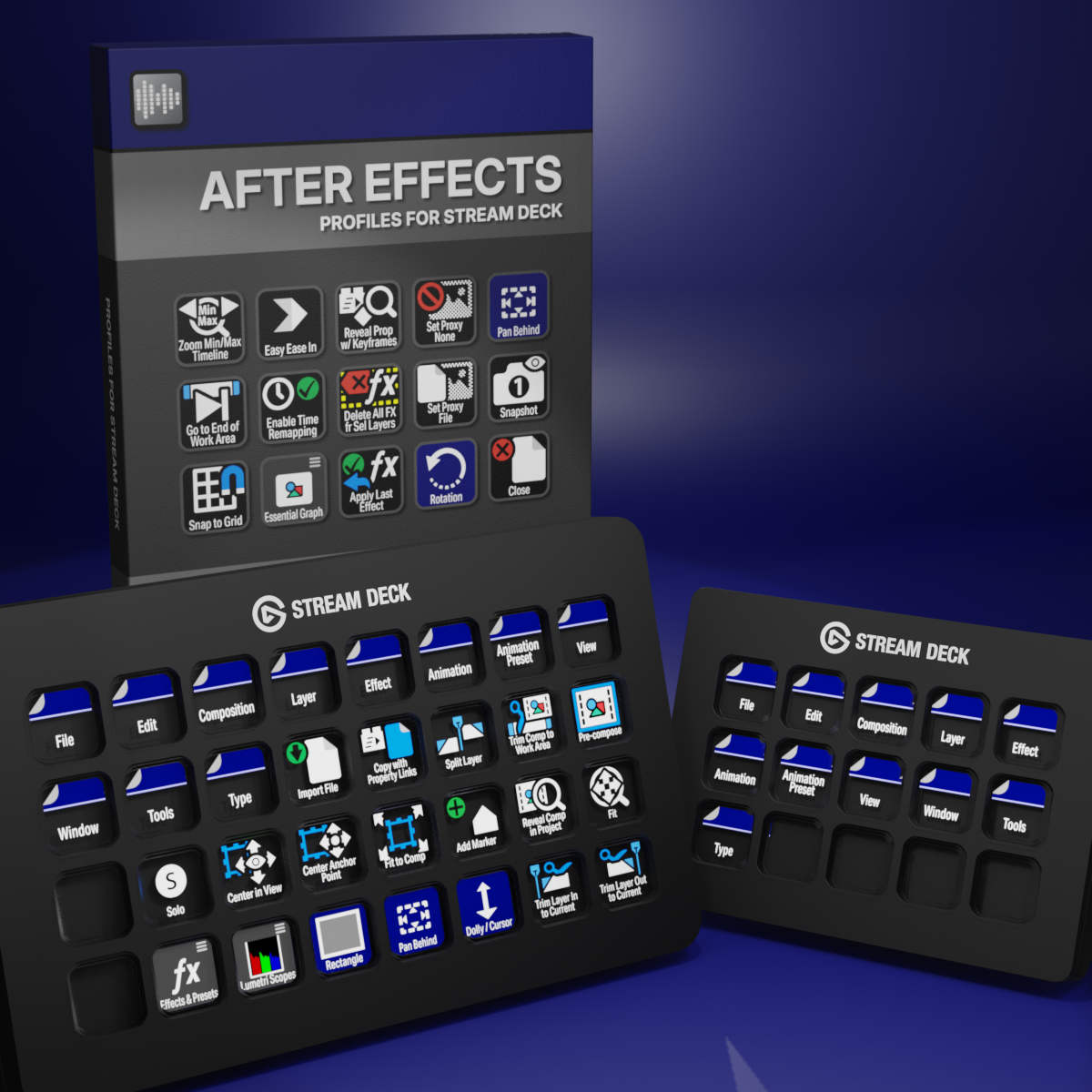
Custom Icons for Adobe After Effects. A sampler pack of both labelled and unlabelled icons for Stream Deck XL and Stream Deck Regular.